Honestly, some days it does not feel like there are actually 24 hours in a day. With so much to get done, it’s easy to end up feeling frustrated and overwhelmed. I’ve always considered myself a pretty productive person, but when I first started my business, I constantly felt like I was falling behind. I set out to figure out what I could change to feel more in control, and less like I was always trying to catch up. The answer actually ended up being quite simple: I wasn’t batching my tasks, especially my emails. Once I started email batching it changed everything.

What Is Email Batching?
Email batching can actually mean two different things:
- Batching your inbox time- This is a time saving strategy for managing your inbox more efficiently. Instead of checking and responding to emails all day long, you designate specific times to tackle your inbox. Just imagine how much easier it would be to focus on your current task, if you weren’t constantly getting pulled away by new email notifications. There’s really no need to check your inbox constantly. I would suggest picking two times in your work day to address emails, maybe once in the morning and once in the afternoon. By setting boundaries around your email time, you’ll stay more focused, reduce stress, and maintain your workflow longer. (Goodbye, inbox whack-a-mole!)
- Batching your email marketing strategy– This is the main focus of today’s post. Batching your email marketing strategy means creating and scheduling emails for different segments or “batches” of your email list. It’s all about sending the right message to the right people. Not everyone on your list is looking for the same thing, so why send them the same email? Segmenting your audience and tailoring your content helps you connect more effectively, boost engagement, and build stronger relationships with your subscribers.
How Batching Emails Works For Me
Personally, I sit down ONCE a month and plan all of my emails.. I have found I am much more likely to make errors when I send an email at random times. While the planning process takes time, it ensures I am accurate, efficient, and on top of my tasks.
Since there is so much to manage in life, I have a calendar reminder on my Asana to sit down on the 28th of the month to do my email batching. During this time, I plan, write, and schedule the next month of emails. This dedicated time allows me to be much more efficient. Then, the whole next month, I can plan email ideas for the upcoming months.
Plus, when I get inspired mid-month, I just jot down the idea for future emails and there is no pressure to act on it immediately.
Pros and Cons
Pros:
- Saves time in the long run.
- Reduces last-minute stress.
- Improves accuracy and clarity.
- Creates more room for creativity and strategic planning.
Cons:
- Requires a time investment up front.
- If you’re segmenting your list (which you absolutely should be!), you’ll need to write multiple versions of each email, tailored to each segment. In contrast, sending a single email blast to your entire list requires only one message.
Yes, batching segmented emails takes more upfront work, but the payoff in engagement and relevance is so worth it, trust me!
How to Send Batch Emails
Sending batch emails is all about planning ahead and using the right tools. Once you’ve segmented your email list into smaller groups based on interests, behavior, or demographics, you can create personalized messages for each group.
Here’s an example of how the process might look:
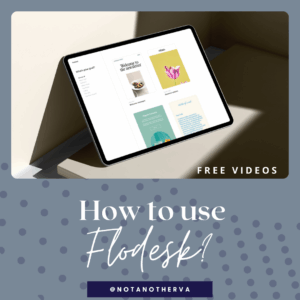
- Choose Your Email Marketing Platform – Use tools like MailerLite, ConvertKit, Mailchimp, or Flodesk that support segmentation and automation.
- Segment Your Audience – Break your list into categories (like new subscribers, repeat customers, blog readers etc.)
- Write Your Emails – Tailor the content to each group so it speaks directly to their needs or interests.
- Schedule in Advance – Use your platform’s scheduling feature to send emails at optimal times.
- Test and Review – Send test emails, check for errors, and make sure each segment is receiving the correct message.
Batching emails this way ensures your content feels personal, even though it’s being sent to many people at once. And the best part is it saves you tons of time!
Helpful Tools for Sending Batch Emails
- Email Marketing Platforms: ConvertKit, MailerLite, Flodesk, or Mailchimp are great for scheduling and segmenting. I have several blog posts about these platforms. Check out some of my past blog posts if you would like to find out more!
- Project Management Tools: Asana, Trello, or ClickUp help you stay on track with monthly planning.
- Email Marketing Content Calendar: While planning emails, I love to use this Email Marketing Content Calendar! This allows me to brainstorm and organize my email topics in advance. This calendar also helps me write down my ideas and ensure I always have fresh, innovative emails.
Want Help with Email Batching?
Email batching has been such an essential factor in my productivity journey. No matter how many emails you receive or write, you can complete batches within 30 minutes or less! (you can also do this with your blog.) This way you can spend the rest of the day focusing on things that are more important to you. Whether that’s more time with your kids, working on other areas of your business, or maybe even taking a few minutes to relax. Once you start batching emails, I promise you’ll wonder how you survived without!
I get it, batching can feel like a lot at first. But you don’t have to do it alone. I’ll walk you through the process, help you build your content calendar, and answer all your questions. I would love to help you start the process to take your business to the next level! Click here to get in contact!

Want more help with Email Marketing?
If you want all my email marketing tips, join my email list to be notified of all my exciting products, offerings, and tools. If you join my email list, you will receive freebies for exclusive blog subscribers!
Get expert advice on email marketing, business strategy, SEO, and tech from Melissa, CEO of Not Another VA. Book a Zoom call to ask your burning questions if you want support for your business. You’ll receive a recording of the call to reference later, saving you time and providing valuable insights.