While we tell people not to judge something based on how it looks, the reality is this does not happen. People judge books by their cover and food on how it looks. Similarly, people judge an email based on how it appears. If it is too cluttered, they click delete. If it is too simple, they often do not see its importance. Honestly, email design is just as important as the words on the page. Luckily, there are best practices to follow to help create visually appealing campaigns that drive engagement.

Email Design Best Practices
A well-designed email can drive higher engagement and ensure a better user experience. By following these helpful tips and suggestions, your emails can stand out among all the others.
Create Visually Appealing Campaigns
A clean and organized layout is essential to any email design. People are busy and do not have time to search for links or helpful tips. Keep these simple tips in mind when creating a clean and organized layout.
- Simplified Structure: Organize the content in a clear, easy-to-scan format. Use sections with ample white space to prevent the email from feeling crowded.
- Organizing Information: Use headings, subheadings, and bullet points to break down information. Highlight essential sections with larger fonts or bold text.
- Consistent Alignment: Ensure text and images are aligned properly, providing a balanced look.
Get expert advice on email marketing, business strategy, SEO, and tech from Melissa, CEO of Not Another VA. Book a Zoom call to ask your burning questions if you want support for your business. You’ll receive a recording of the call to reference later, saving you time and providing valuable insights.

Use of Design Elements
- Color Scheme: Choose a color palette that reflects your brand identity and is easy on the eyes. Stick to 2-3 primary colors and complement them with neutral tones (like white or gray). Contrast is key, especially for call-to-action buttons.
- Font Selection: When designing your email, use legible fonts that match your brand style. Use a maximum of two to three fonts—one for headings, one for body text, and maybe one accent font. Make sure the text is large enough for readability (typically 14-16px for body text).
Personalization
- Tailored Content: Use personalization tags (such as the recipient’s name or location) to make the email feel more relevant to the individual. Personalized content leads to higher engagement.
- Dynamic Content: Implement dynamic content blocks to show different offers or products. Base this on the recipient’s preferences, past behavior, or demographic data.
Compelling Calls-to-Action (CTA)
- Clear and Actionable: Make sure your CTA buttons are visually prominent and have actionable text (e.g., “Shop Now,” “Learn More”). Use contrasting colors for CTA buttons to make them stand out.
- Strategic Placement: Place the most important CTA in the most visible spot, such as near the top or center of the email. Also, consider repeating the CTA towards the bottom, especially in longer emails.
Mobile Optimization
People are busy! So, many will actually see your email design on their phone. This is why it is essential that your email loads on a computer or a phone. Here are some helpful tips on mobile optimization!
- Responsive Design: Make sure your email adjusts to different screen sizes. Use a responsive design that rearranges content based on the device (desktop, tablet, mobile). This is crucial as many users open emails on mobile devices.
- Single-Column Layout: Use a single-column layout for easy scrolling on mobile screens. This avoids the need for zooming and ensures that content is mobile-friendly.
- Large Clickable Buttons: Buttons should be large enough for users to click comfortably on mobile.
- Avoid Tiny Text: On small screens, tiny fonts can be hard to read. Use larger text for body content and headlines, with a minimum of 14px for body text.
- Test Across Devices: Always preview and test your emails on different devices (iOS, Android, desktop) and email clients to ensure compatibility.
Email Design Assistance
If you feel overwhelmed or stressed, I get it! I’ve been there. However, I now get to use the hours I’ve invested in learning the ins and outs of the business to help others. So, Book a Call with Melissa! I’d love to discuss how I can help your business grow!
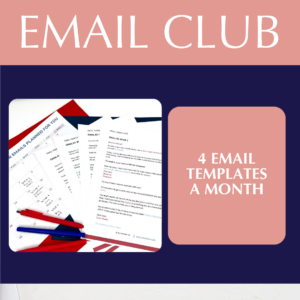
On top of this, the Email Club provides you with 4 plug-and-play templates each month. These are amazing ways to add personalization without spending hours stressing about the design and wording.

While email marketing is an amazing opportunity, it is full of challenges. There are many people in the business, so you have to stand out among the rest. Honestly, email design is the way to do this! By following these helpful tips and services, you will be on the right path to success!
If you want all email marketing tips, join my email list to be notified of all exciting products, offerings, and tools! You will receive freebies for exclusive blog subscribers by joining the email list!